Run everything
Run everything from one place.
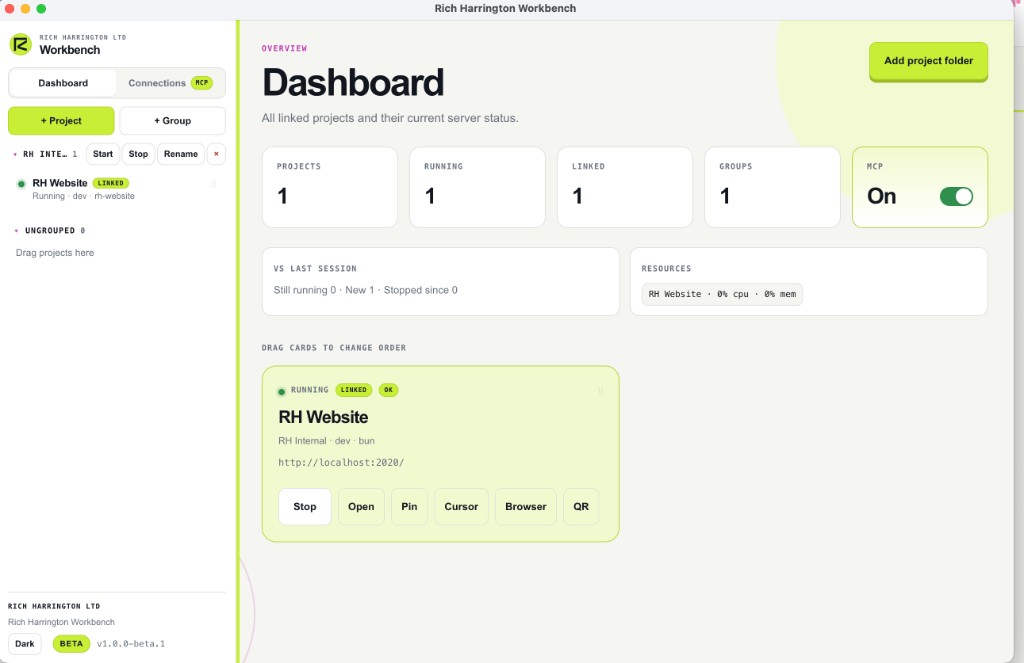
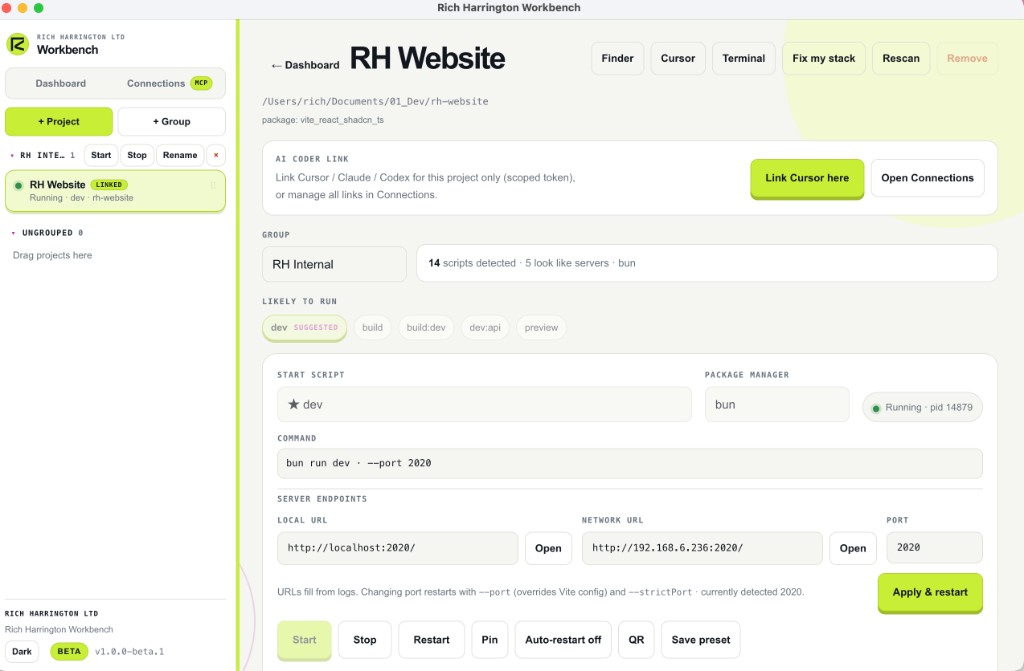
Rig reads your Procfile and your package.json scripts automatically and lists every task in one window. Start, stop and restart anything with a click. No commands to memorise.
Resources · Free tools · 03 / Mac
Rig by Rich Harrington Ltd (userig.app) is a native Mac app that runs, watches and manages every task in your project from a single clean interface. Stop juggling terminal tabs. Start actually building.
The problem
One for the client, one for the server, one for the worker, one for the database, and half of them are dead. Rig pulls all of it into one place.
Run everything
Rig reads your Procfile and your package.json scripts automatically and lists every task in one window. Start, stop and restart anything with a click. No commands to memorise.
Live logs
Every task streams its output into the same interface in real time. Watch your build, your API and your file watcher together, and see exactly which one broke the moment it happens.
Many projects
Whether you are a freelance developer, an agency or a software house, Rig keeps multiple projects in view at once. No more spinning up a new pile of terminals for every client.
Database · Coming
Manage your local Postgres and MySQL databases without leaving Rig. Spin one up with a single click using Homebrew or Docker, and open a full admin view when you need to get into the data.
Ports
Change the port your dev server runs on right from the app, so you are never fighting over 3000 again.
Native Mac
No global installs. No shell config. Download the .dmg, drag it to Applications, and open it. Rig looks and feels like it belongs on your Mac because it does.
AI · MCP connection
Rig exposes an MCP connection so your AI coder can see the same projects, scripts and status you do. Link Cursor for one project with a scoped token, or manage every connection from the Connections tab.
Also in the beta
Hand the broken setup to Cursor with context, instead of pasting logs by hand.
Jump to Finder, Cursor, Terminal or the browser from the project you have selected.
Share the local or network URL so you can test on a device without hunting for the IP.
Keep client and side projects organised when you are running more than one stack at once.
Rig release schedule
Separate from the portal changelog. This is the Rig product timeline.
Sparkle in-app updates, dashboard, multi-project control, MCP, git and cloud sync.
Quieter Gatekeeper for first install; Sparkle updates already ship via GitHub Releases.
Polish on groups and session resume, and broader MCP coder support.
Local Postgres and MySQL management from the same window, as sketched in the feature list above.
Download
Download Rig for Apple Silicon Macs and turn fifteen terminal tabs into one tidy window. Learn more at userig.app.
Beta 1.0.0 for Apple Silicon. Unsigned local build: right-click the app Open on first launch. Sign in under Settings to link your Rig cloud account.
The tool found something?
Share what you tested and what the result means for the business. I can help diagnose the issue and plan the repair.