Discover what WordPress development really means for small businesses, from custom builds and modern tools to pitfalls to avoid and how to choose the right developer.
What is WordPress development? Custom sites explained

Most small business owners assume WordPress is a blogging platform. It was, once. Today, it powers 43% of all websites on the internet, including complex e-commerce stores, membership platforms, and enterprise-level applications. The gap between “setting up a WordPress site” and genuine WordPress development is enormous, and understanding that gap could save your business from a costly rebuild down the line. This guide walks you through what professional WordPress development actually involves, why it matters for your business, and how to make sure you get the real thing.
Table of Contents
- Understanding WordPress development
- What custom WordPress development offers your business
- Core technologies and best practices
- Pitfalls to avoid with WordPress development projects
- A developer’s perspective: what most articles miss about WordPress projects
- Ready to get more from WordPress?
- Frequently asked questions
Key Takeaways
| Point | Details |
|---|---|
| True WordPress development | Professional WordPress development means tailored, scalable, high-performance business websites beyond simple themes or plugins. |
| Custom builds add value | Custom development delivers better performance, flexibility, and brand fit to help your business grow online. |
| Modern best practices | Using tools like ACF, Composer, and WP-CLI ensures your site remains robust, secure, and easier to manage. |
| Avoid common pitfalls | Hiring the right developer can prevent coding errors, plugin overload, and ongoing maintenance issues. |
Understanding WordPress development
WordPress development is not the same as installing WordPress and picking a theme. That distinction sounds obvious, but it catches a lot of business owners off guard when they realise their “website” is a fragile stack of plugins held together with hope.
At its core, WordPress development means writing custom code to build functionality, structure, and design that is specific to your business needs. A professional developer works at the code level, not the drag-and-drop level. They write PHP, JavaScript, and CSS with purpose, rather than overriding someone else’s template.
Here is what separates a basic site setup from genuine development:
- Custom post types and taxonomies built to match your content structure
- Bespoke block development using ACF Blocks for flexible, editor-friendly layouts
- Theme architecture built from scratch or from a lean starter, not a bloated marketplace theme
- Version control using Git, so every change is tracked and reversible
- Environment management using tools like Bedrock to separate configuration from code
Modern WordPress development uses a professional toolchain. ACF Blocks, Bedrock, and WP-CLI are standard tools for scalable, quality projects, alongside Composer for dependency management and automated testing to catch bugs before they reach your live site. These are not optional extras. They are the baseline for professional work.
“The difference between a WordPress website and a WordPress product is the same as the difference between a sketch and an engineering blueprint. One communicates an idea. The other builds something that lasts.”
You should also know that WordPress development in 2026 increasingly includes headless WordPress approaches, where WordPress manages content but a separate front end delivers it. This is relevant if you need high performance, a mobile app, or a multi-channel content strategy.
Pro Tip: Ask any developer you are considering to show you their folder structure and deployment process. If they cannot explain it clearly, that is a red flag.
Custom development also future-proofs your site. When WordPress releases major updates, a well-structured custom build adapts cleanly. A theme-dependent site often breaks.
What custom WordPress development offers your business
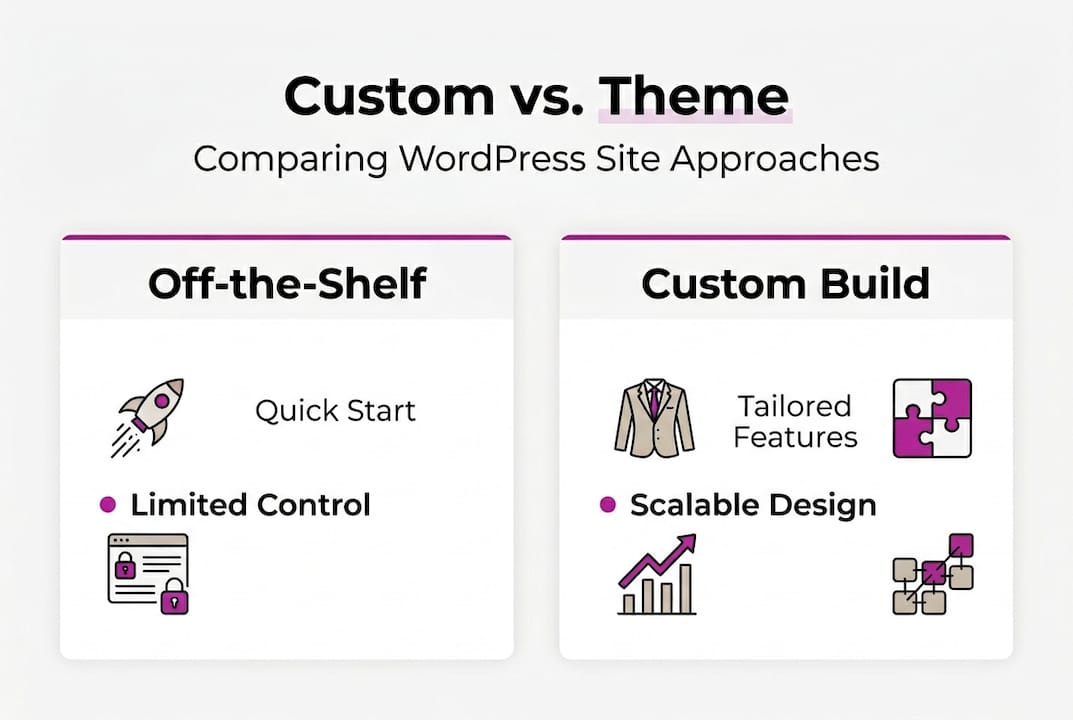
Off-the-shelf themes are not inherently bad. For a personal blog or a one-page placeholder, they are fine. For a business that depends on its website to generate leads, process orders, or represent its brand, they introduce real limitations.
Here is a direct comparison:
| Feature | Off-the-shelf theme | Custom development |
|---|---|---|
| Code quality | Variable, often bloated | Lean, purposeful |
| Performance | Depends on theme | Optimised by design |
| Scalability | Limited | Built to grow |
| Branding | Constrained by template | Fully bespoke |
| Security | Shared vulnerabilities | Hardened specifically |
| Ongoing cost | Licence fees, frequent conflicts | Predictable, lower long-term |
Custom development gives your business the ability to build exactly what you need. That might mean a booking system that connects to your CRM, a product configurator, a members-only content area, or simply a site that loads in under two seconds and converts visitors into enquiries.
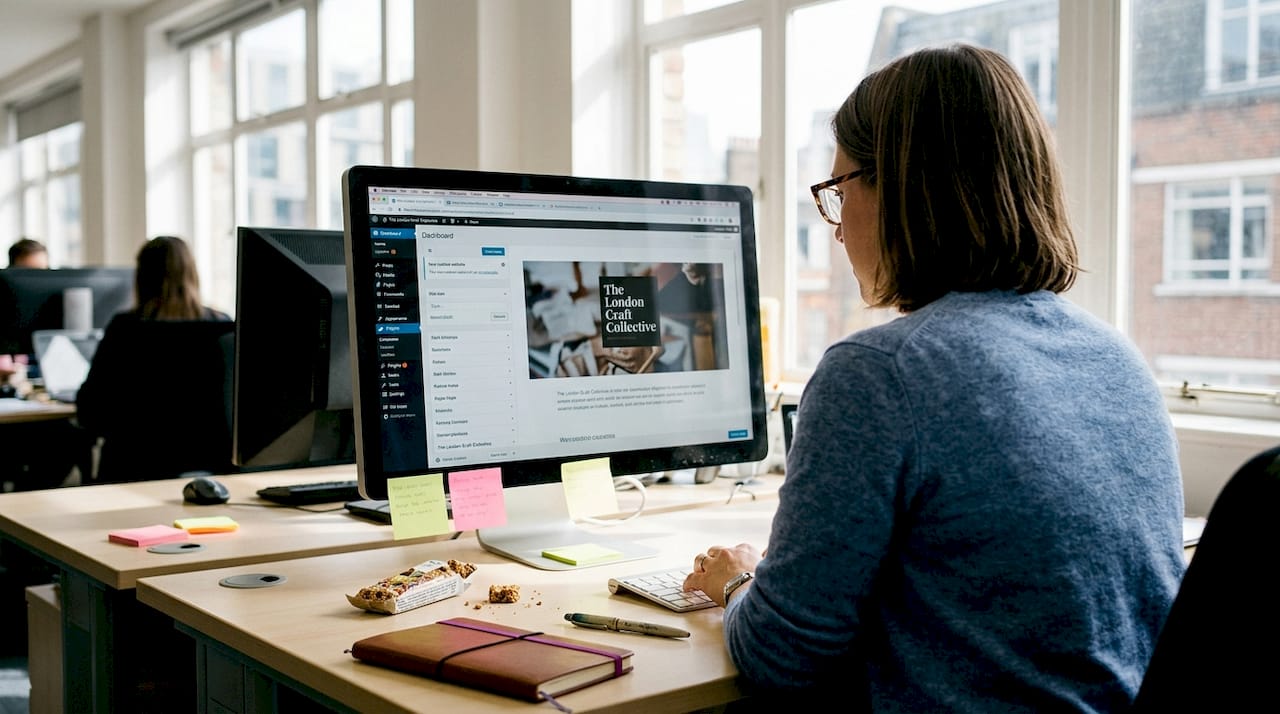
Avoiding plugin bloat and using structured content is how custom WordPress development ensures performance and scalability for small businesses. Every unnecessary plugin is a potential security hole, a performance drag, and a future compatibility problem.
Here are the main advantages in practice:
- Tailored functionality that matches your actual workflow, not a generic approximation
- Consistent branding with no theme constraints forcing design compromises
- Faster load times because the code only does what your site needs
- Easier content management with custom blocks and fields built for your team
- Stronger security through minimal surface area and hardened configurations
Consider a local trades business that moved from a template site to a custom WordPress build. With a structured quote request form, integrated job management, and a performance-optimised front end, enquiries increased significantly within three months. The site did not just look better. It worked better.
WordPress also empowers startups to launch and scale without switching platforms as they grow. That flexibility is genuinely valuable.
Pro Tip: Review performance optimisation tips before briefing a developer. Knowing what good looks like helps you ask the right questions.
Core technologies and best practices
Knowing which tools a developer uses tells you a lot about the quality of their work. Here is a breakdown of what you should expect from a professional WordPress developer in 2026.
| Tool or practice | What it does | Why it matters |
|---|---|---|
| ACF (Advanced Custom Fields) | Creates flexible content structures | Cleaner data, better editor experience |
| Bedrock | Manages WordPress as a proper application | Separates config, improves security |
| Composer | Handles PHP dependencies | Keeps code modular and updatable |
| WP-CLI | Command-line WordPress management | Faster, scriptable, automatable |
| Automated testing | Catches bugs before deployment | Reduces risk, saves time |
| Git version control | Tracks all code changes | Enables rollback, team collaboration |
Modern practices including Composer, WP-CLI, and automated testing are the hallmarks of a developer who treats WordPress as a proper software project rather than a content tool.
Beyond tools, the principles matter too. The DRY principle (Don’t Repeat Yourself) means code is written once and reused, reducing bugs and maintenance overhead. Lean code means no unnecessary functions, no redundant queries, no dead weight slowing your site down.
PHP version matters more than most clients realise. Running PHP 8.2 or above gives you significant performance gains and access to modern language features. Sites running older PHP versions are slower, less secure, and increasingly unsupported.
Key practices to look for:
- Limiting plugins to only what is genuinely necessary
- Using child themes or custom themes rather than modifying core files
- Implementing proper sanitisation and validation on all user inputs
- Configuring server-level caching and a content delivery network
- Running performance optimisation as a standard part of the build, not an afterthought
Statistic to note: Sites built with lean, structured code consistently outperform theme-based builds on Core Web Vitals, which directly affects your Google search rankings in 2026.
Best practices are not just technical hygiene. They are an investment in lower maintenance costs and fewer emergencies down the line.
Pitfalls to avoid with WordPress development projects
Even experienced developers make mistakes. Knowing the common ones helps you ask better questions and spot warning signs early.
Here are the most frequent issues that cause WordPress projects to fail or underperform:
- Unscalable theme architecture where everything is hardcoded into a theme file, making future changes expensive
- Plugin overload where dozens of plugins duplicate functionality, conflict with each other, and slow the site down
- Poor hook management where actions and filters are added without understanding priority or execution order
- No version control meaning changes cannot be rolled back and collaboration is chaotic
- Ignoring security hardening such as leaving default table prefixes, weak file permissions, or no two-factor authentication
Hook priority conflicts, late binding, non-returning filters, and using the wrong hooks are among the most frequent edge cases that cause subtle, hard-to-diagnose problems. These issues often do not appear until the site is under real load or a plugin updates unexpectedly.
“The most expensive WordPress problems are the ones that were preventable. They usually trace back to shortcuts taken at the start of the project.”
As a business owner, you do not need to understand every technical detail. But you should ask your developer these questions:
- How do you manage deployments and rollbacks?
- What is your approach to plugin selection?
- How do you test before going live?
- What happens after launch if something breaks?
Ongoing support matters too. A site without a maintenance plan is a site waiting for a problem. Structured maintenance and care options exist precisely because websites are not finished products. They need updates, monitoring, and occasional fixes.
Pro Tip: Request a post-launch support period in your contract. Even a 30-day window gives you confidence that issues will be addressed without additional cost.
Avoiding these pitfalls is not complicated. It just requires working with someone who has done this enough times to know where the traps are.
A developer’s perspective: what most articles miss about WordPress projects
Most articles about WordPress development focus on features and tools. What they rarely address is the planning that happens before a single line of code is written.
In practice, the projects that go wrong almost always share one characteristic: the brief was vague. A client wanted a “professional website” without defining what professional meant for their specific audience, workflow, or growth plans. The result was a site that looked fine but did not actually solve any business problem.
The MaintainHQ project is a good example of what structured planning produces. Defining the content model, user journeys, and integrations before writing code meant the build was faster, the result was cleaner, and the client had something that genuinely worked for their business.
The uncomfortable truth is that cheap, fast, or template-based projects almost always cost more in the long run. Rebuilds, emergency fixes, and lost conversions add up. Strategic planning, structured content, and ongoing support are not upsells. They are what makes a WordPress site an asset rather than a liability.
Ready to get more from WordPress?
If this guide has clarified what professional WordPress development looks like, the next step is straightforward. Working with a developer who understands your business goals, not just your technical requirements, makes the difference between a site that exists and one that performs.
Rich Harrington specialises in custom website development for small businesses and growing teams, building WordPress solutions that are lean, scalable, and built to last. Whether you are starting from scratch or need to rescue an existing site, you can explore full service options or book a consultation to talk through what your project actually needs.
Frequently asked questions
What does a WordPress developer actually do?
A WordPress developer builds, customises, and maintains websites using WordPress, creating tailored solutions through coding, frameworks, and plugins. ACF Blocks, Bedrock, and Composer are standard tools for producing high-quality custom sites.
Why is custom WordPress development better than using a theme?
Custom WordPress development results in leaner code, tailored features, better scalability, and improved performance compared to off-the-shelf themes. Custom development avoids builder bloat and prioritises code quality for real-world performance.
What are common mistakes in WordPress development?
Typical mistakes include poor hook management, plugin overload, and not following coding standards, which can impact performance and security. Hook conflicts, late binding, and overusing init are frequent edge cases that cause project issues.
How do I know if my business needs custom WordPress development?
If your site requires unique features, third-party integrations, or needs to perform under real business demand, custom development is almost always the better choice over a template.
What are best practices for hiring a WordPress developer?
Look for experience with modern tools, a strong portfolio, and clear use of professional practices. Composer, WP-CLI, and automated testing are reliable indicators of a developer who works to a professional standard.
Recommended
- How WordPress empowers startups to launch and scale | Rich Harrington
- Rich Harrington | Full-Stack Developer & WordPress Expert
- Headless WordPress: When to Decouple Your CMS | Rich Harrington
- Web Design Swindon | Rich Harrington - Custom Website Development
- Custom WordPress design: grow your business in 2026